

Ebized
-
Posts
18,279 -
Joined
-
Last visited
Content Type
Profiles
Forums
Events
Gallery
Store
Everything posted by Ebized
-
Similar problems with other phones have been reported in the past. I seem to recall some have got round the problem by putting the phone next to the bluetooth cradle, or better still for ease of use in a phone holder to maximise connectivity (rather than keeping the phone in a pocket). Might be worth a try
-
http://biggeekdaddy.com/humorpages/Humo ... Trick.html
-
-
Same here, had to sell my Lotus Europa to put a deposit down on a house. Going from a Europa to a Mini 1000 was something of a shock Pete I went from a 300zx to an Allegro. I went from a new Vauxhall Viva HB (second and what turned out to be the worst car buy I ever made) to an oval window scrap yard recovered Beetle, to help get my first mortgage - er, in about 1970 . Beetle had a tuned 1500 installed though and did many off-road competitions and was great reliable fun
-
+1 Whether I am in the ZED or another car, a tailgater is to be avoided - let him have his accident in someone elses boot and I will pull over at the first opportunity. Otherwise, and as you found out, a risky overtake will invariably take place as the idiot feels the need to prove his point.
-
FACT: If you never get the 'red mist' your not a racer! One name spring's to mind now........................Ayrton Senna, the best racer of all time but very prone to the 'red mist' on some very well documented incidents throughout his career. Ayton did not have red mist then - that was a deliberate action - something Schui was not adverse to doing as Damon Hill for one will testify
-
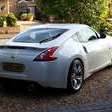
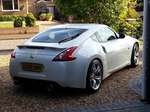
2003 JDM 350z Silver **REDUCED TO £7750** NOW SOLD
Ebized replied to BRO-T's topic in Zeds For Sale
Thread now locked -
I have the syncro rev match on all the time and no clutch smell. The only time I have noticed the clutch is, er, on the odd brisk take-off usually combined with the smell of burning rubber.
-
Great idea 1. Beavis 2. martinmac 3. octet 4. Tarmac 5. ChrisS 6. Chesterfield 7. 350Russ 8. Stew 9. bladesgrant 10. JetSet 11. Sam McGoo 12. mbs 13. NeilMH 14. AK350Z 15. Bockaaarck 16. DoogyRev 17. GT4 Zed 18. P15ULT 19. evest 20. Ian 21. Chris`I 22. ATTAK Z 23. choptop 24. Ken 25. Stoker11 26. P19DRO 27. simon da silva 28. Maccaman 29. Roo 30. Irfan 31. Millzzz 32. CaptainSensible 33. The G Man 34. Sized 35. lilsheepshagga_turbo 36. SunGodRA 37. MuLL 38. From a to zed 39. Jim 40. Maxi-Glasgow 41. Peter10 42. Lincolnbaggie 43. Keyser 44. Jak 45. UNABASHED 46. Blacky 47. mick43 48. Ricey 49. shieldsie 50. D4XNY 51. Danny 350Z 52. BulletMagnet 53. Sparky350z 54. Jez 55. Lexx 56. TOYBOY 57. Ebized
-
Don't listen to him - he just wants to keep those quicker than him off his local roads More seriously Will, it has been a pleasure to have all seven foot of you (well it seems that way to me as a short arse 6'2") join us and watch how you evolved into one of our keenest supporters and the the inevitable temptation to modding, although you have a long way to go to match the likes of glrnet and SpursMadDave
-
Sorry can't agree Colin class of his own unless you mean driver/car combination? Yes he's very good but i bet you Hamilton or the likes of Alonso would have done just a good a job as Vettel if they had driven the Red Bull today. And what errors are these? I saw Hamilton leave the track once but his floor was already broken at that point which must have affected his downforce Overall like Martin Brundle said i agree Lewis drove a stunning race today that was only second to Vettel in a car that had been heavily revised in the last couple of weeks with a new exhaust system and an entire new floor design. And for the record Vettel made plenty of errors last year. Remember the "quite the crash kid" comment after Turkey and Spa? Anyhow back home. The Rolls Royce Trents were ok then? Both Mark and Seb get exactly the same equipment at every race (apart from silverstone last year),so you cant say that alot of it is the car,as why isnt Mark up there,and why didnt Mark win the championship last year? He is a race winner after all,and won more races than Jenson and Hamilton i believe (though id have to check). The cars are equal,the drivers are not. Seb is an amazing driver,though id like to see him overtaking more,which is where Hamilton really excels. I think Hamilton and Seb are very well matched,and i think that Mark and Jenson are on an equal par too. My money this year is on Mark to win the drivers,i think he can do it. Given you have good inside knowledge about the equal packages Seb and Mark are given reinforces my point about Vettel being in a class of his own - he is oozing so much confidence. Yes, having the right car matters and potentially a similar situation is developing as with Schui and Ferrari over 5/6 seasons - an untouchable combination. My point about Hamilton is that he/Mclaren are playing 'catch-up' and whilst he is a great driver and racer, is prone to the red mist on occasions - as is/was Seb when he was having to overtake. Even Jenson got the 'red mist' yesterday in his early attempts to pass Massa but then did a great job to claw back sixth place including a great pass on Massa for the second time of asking.
-
Bodes well for an interesting season. Vettel in a class of his own, made easy by Hamilton still making errors. Looks like Jenson's tyre saving ability is under threat from new guy Perez who was able to finish well with only one stop - a great drive despite the alleged technical infringement. Hopefully the Sauber team will win its appeal and with two entertaining drivers on board they could be a team to watch.
-
Done
-
Welcome to the forum, and a nice intro
-
Colin, Where did you get the spacesaver, was it from a dealer? Cheers From another member on here who had sold his car and chucked out out his spare in favour of some mega ICE set up. I'm sure there will be other 350 owners out there with spacesavers taking up room in their garages..........
-
I'm expecting to have to change the rear tyres before 10k and really not that impressed with the RE50's on the 370 for several reasons. Although the fronts may have another 5k of miles left for peace of mind it will be likely I will change of 4 when it comes to it. Although I personally found the 452 Falkens on my previous 350 fine for road use and 'spirited' driving I'm not sure they would give any better mileage than the 'stones, although when I used them on the 370 (I had kept my 19" LMGT4's I had for the 350 and they had Falkens on them), I found the handling and grip levels fine and notwithstanding the softer side walls and they get classed as a semi-budget tyre. So I will be interested to hear of other 370 owners who are doing higher mileages and have changes tyres about their experiences.
-
Get anything other than a basic puncture and the gel will not work so for peace of mind I have a spare (350 spacesaver) and jack/handle that fit in the spaces provided and the Bose unit fits neatly inside the spacesaver. Spacers needed at front to clear the larger 370 calipers but as I have these to give the car a better stance - job done there Yeah, it adds a bit more weight but peace of mind, especially if in a weak mobile signal area, matters more to me.
-
Have a great day Nic - many happy returns
-
If that does get in production and comes with a decent engine, that could be my 4th ZED
-
-
you left out: AGAIN
-
-
-
done
-
One deleted as it was just a duplicate and this one locked. See the remaining one as 3 threads on the same subject is not needed.