

veeg33
-
Posts
2,060 -
Joined
-
Last visited
Content Type
Profiles
Forums
Events
Gallery
Store
Everything posted by veeg33
-
Hello and welcome
-
Thanks guys!!
-
Hello and welcome
-
Hello and welcome Bob
-
Welcome back and sorry to hear your father.
-
-
Hello and welcome
-
Nice wheels! Too bad I'm not in position to buy, bad timing. GLWTS mate. It should be gone by now!
-
Hello and welcome
-
Hello and welcome
-
Hello and welcome ^^As above, they will sort you out! Great service!
-
Hello and welcome
-
Cheers Gareth! We are so looking forward to our first house. Thanks for the tip! Will definitely add a carpet or rubber mat to protect. As for the seat, it's now all the way back, I'm about 6 feet tall and currently about 2 months pregnant (beer belly). Might still struggle but will learn from this
-
Unfortunately, it's the smaller version. I think I could just for the zed in and will struggle a little when getting out/in. Maybe need to fold the wing mirrors Not much space left once the zed is in. But will be using it mainly as additional storage. I did try my best to persuade my missus for a different house design with a detached double garage, she doesn't like it and it's costing additional £10k At least it will be better than my apartment now.
-
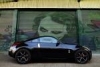
Reintroducing my Zed a year on
veeg33 replied to Hughesie90's topic in Introductions & Welcome Messages
Looks good mate -
Hello and welcome
-
Hello and welcome
-
Hello and welcome
-
Hello and welcome
-
Yeah, it's odd to have there but works fine for me now. The plan is to route the vidoe cable all the way to the head unit when I had a new one installed in 2017 That's a long way off but a new house is more important. Yep, missus has banned me from spending any money on the zed now. Temporary cure for Zeditus! But I'm looking forward to a new men cave, jet washer, more tools, etc! Here's a how it will look like when it's done
-
Yeah, it's odd to have there but works fine for me now. The plan is to route the vidoe cable all the way to the head unit when I had a new one installed in 2017
-
Got mine from Clark Motorsport, they are plug n go. No mod needed, fits perfectly as they are original OEM parts. Great service from Ewen too.
-
Seen other fellow members here installing reversing camera and for the price (EBay specials), I've decided to give it a go. Brought a CCD cam (number plate light + cam) and a 4.3" monitor for EBay. EBay item number for the camera 271736771908 and the monitor 391106460484 Disassembled most of my rear boot panels Thanks to this plastic removal tool (as long as my hand) , makes removing them easy Feed the cable into the rear bumper and used a metal wire to hook it so that I can tape the camera cable to a pilot cable that will help me to feed/guide it into the boot. Remove the rubber grommet, feed the pilot cable into it and tape it to the camera cable. Instead of cutting a slot on the rubber grommet, I decided to feed those cable into the tiny hole. With a little bit of lubricant, they just managed to fit in. The trick is to feed it in whilst the connector is facing the other way ie fold the cable 180deg and start from the smaller end of the connector and slowly push it in. Be careful not to damage cable as they are not the best quality, and try your best to avoid pulling the cables when you are stuck, put the connector. Feed both in, add some insulation tape and replace it back to its original position. Next it to locate a good ground location, I choosen this one here. I had tested my camera and screen before, so did not bothered testing it again on my zed. Then I locate the reverse light cable which is near to the passenger side rear light. It is light green with a silver ring at every 5cm or so. Then using a Scotchlok T-tap, I tap into the cable to power up the camera and monitor. Route all cable nicely, and use lots of tie wrap to secure them, ensuring minimum movement to avoid cable fretting due to vibration. As for the monitor, I've chosen a strange location but works well for me. This is above the passenger rear speaker. I was initially wanting to place the monitor in the cubby but find it a little troublesome to open the lid every time I need the screen during reverse, and close it when I'm done. Then was also considering placing it above the gauges but was concerned someone might break into the car thinking it was a satnav. So yesterday before this was being installed, whilst reversing to my usual parking spot, I thought it will be good to have it in the corner. Since I will be turning my head back whilst reversing, might as well have it there. It is kind of hidden in the corner. I also brought some limousine black tint to tint both little windows and now they are not visible from outside. Got some spare CF wrap so decided to wrap the monitor as well to make it look less like a satnav. The only negative of this monitor position is the camera video is mirrored. It will be OK if the monitor was facing the back of the car but when it is facing the front, it's mirrored. Well, that didn't bother me much as I'm using this to help with distance between me and object behind me. Overall, I think it's money well spent (£20 all inclusive) and about 2hrs alone time with my zed (DIY) And this will most likely be my final mod for 2015 and 2016 as I had placed an early bird deposit on a house. Main deposit due mid 2016 so no more spare cash to be spent on my zed unfortunately. But considered lucky that I don't need to sell the zed to help with deposit