MAB Posted April 11, 2007 Posted April 11, 2007 Hi All in Z land. I joined the wonderful world of Z last Saturday and haven't stopped grinning since. I'm just so chuffed that it's as good as I had already sold myself it was. I did a Nissan 48 test drive before Christmas in a Roadster and it was the noise that did it for me. Well the Roadster was just too impractical so I went for the coupe and am well pleased. I bought the 2006 spec GT with 3000 miles on the clock but it did not come with a bluetooth dongle for the phone. I was told by the seller that the dongle is an extra. Does anyone know if that is true? Anyway - looking forward to miles of fun in the z and in this community. Cheers Mark Quote
Removed Posted April 11, 2007 Posted April 11, 2007 dongle should be a standard on 2006, afaik. Go get one Quote
Jacko Posted April 11, 2007 Posted April 11, 2007 Welcome mate! Yeah don't be put off by that rubbish! Its standard, and if it wasn't supplied with one then the dealer can get as a back order from Nissan...... assuming it was bought from the dealer? Quote
mini Posted April 11, 2007 Posted April 11, 2007 Welcome Mark, (always wanted to get there first ) Quote
Chesterfield Posted April 11, 2007 Posted April 11, 2007 Hi and welcome - always a pleasure to see new owners. As others have said - Bluetooth is standard on 06 model - some early ones came without I think as they were in short supply, but the dealers provided them for free to those owners once they tuned up. Your dealer should be able to source one for you. Quote
sl114 Posted April 11, 2007 Posted April 11, 2007 Hey buddy, hope you are happy with your purchase and hope to see you at some meets. Not that i ever attend any that it Quote
Chris`I Posted April 11, 2007 Posted April 11, 2007 Enjoy the car and ask lots of questions. The guys and gals here are more than happy to help Quote
Sarnie Posted April 11, 2007 Posted April 11, 2007 Welcome matey!!! What colour did you get? Where are the pics? Quote
monkfish Posted April 12, 2007 Posted April 12, 2007 Mark!! Glad you're enjoying the car! PS... WE DEMAND PICS OF THE BEAST!! Quote
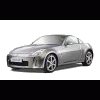
MAB Posted April 12, 2007 Author Posted April 12, 2007 Hi All, Thanks for the warm welcome. I did try and attach a picky, but to no avail. Its said - tried to upload empty file (which it isn't) Anyway the Z is silver, which is probably best as it blends in a little better. I will sort out the bluetooth dongle - I think I will let the company pay. Cheers mark Quote
Trev-the-Rev Posted April 12, 2007 Posted April 12, 2007 Welcome to the forum Mark. Yeah don't let them fob you off with the Bluetooth thingy. Mind wasn't fitted when I took delivery, but the onus was on me to chase them up to have it installed. Quote
M13KYF Posted April 12, 2007 Posted April 12, 2007 Mark to upload a piccies you first have to browse it . Then once you have selected the picture from your computer then Add Attachment. There is a size limit in place. If you are still struggling email it me and I'll put it up for you. The other option is to use something like photobucket which most of us use. There you can just copy the url once you uploaded the picture. Quote
MAB Posted April 12, 2007 Author Posted April 12, 2007 I wonder if it is a size thing. Each pickie is 4meg. Is that over the limit? Cheers mark Quote
M13KYF Posted April 12, 2007 Posted April 12, 2007 yes it would of said that the image exceeds the limit. If you can't downsize them then use photobucket. Its free too! Quote
MAB Posted April 12, 2007 Author Posted April 12, 2007 It didnt say it was too large, just that it was empty. Quote
M13KYF Posted April 12, 2007 Posted April 12, 2007 4meg is defo too big anyway. you don't need to be more than 900 pixels wide Quote
Chesterfield Posted April 12, 2007 Posted April 12, 2007 Also, try saving the pics as Gif or Jpg. At 4mb, they sound like BMP files or similar. If you use photoshop or even MS paint, and save as a jpg or gif about 800 pixels wide, they should be fine. Hope that helps. Quote
Chris`I Posted April 12, 2007 Posted April 12, 2007 Also, try saving the pics as Gif or Jpg. At 4mb, they sound like BMP files or similar. My Canon 350D outputs pics of about 3.5MB in JPEG. A RAW (near enough BMP) will come out at 12MB I'd suggest whacking the photos in Photoshop and resizing them, and also reduce the image quality a tad that will bring down the size. Quote

Recommended Posts
Join the conversation
You can post now and register later. If you have an account, sign in now to post with your account.